

By Will Jeffrey
15 Mar 2024 · 3 Min Read
[2025 Update] Google's negative keyword exclusion update.
Back at the end of 2024, Google started to roll out the ability to add negative keywords to Performance Max campaigns in the platform, with a limit of 100.
This meant that marketers no longer had to complete a form or ask a Google account manager to add negative keywords. In March 2025, the 100 negative keyword limit was increased to 10,000 as a result of feedback from the advertiser community.
This increased level of control over negative keyword exclusions is very welcome, allowing advertisers greater power over where and how ads appear, ensuring better alignment with brand and audience preferences.
Introduction.
Unlike Search campaigns, Performance Max campaigns are keywordless, and advertisers do not specify terms to bid on in the ad auction. Instead, Google's AI and machine learning algorithms identify the relevant search queries for which specific ads should appear based on information from the product feed, such as titles and descriptions.
What are negative keywords?
Negative keywords are specific words or phrases that you can add to your Google Ads campaigns, to prevent your ads from being shown to people who use those terms in their search queries.
Why are they important?
Negative keywords are important because they help you target your advertising to the right audience, reduce irrelevant clicks on your ads, and ultimately, save your advertising budget. By excluding irrelevant searches, you can focus your advertising efforts on the people who are most likely to be interested in your product or service.
Performance Max.
Performance Max campaigns were first introduced by Google in 2021, with the full rollout (including mandatory “upgrading” of Smart Shopping campaigns to PMax) concluded by the end of 2022. Performance Max campaigns serve ads across the majority of Google’s ad network, covering Search, Shopping, Display, YouTube, Gmail and Discover - with the ad algorithm deciding which of these networks your ads should show on, and when.
Negative keywords in Performance Max.
So, if you're wondering whether it's possible to add negative keywords to a Performance Max campaign, the answer is, thankfully, a resounding yes. Before the changes in 2024, advertisers had to contact Google Ads support and fill in a specifically-formatted ticket to get negative keywords added to PMax campaigns.
Since the end of 2024, however, this is now possible in-platform, without having to speak to anyone, much to the joy of introverted PPC managers everywhere. However, there are some limitations and considerations to keep in mind.
Option 1: Adding at campaign level.
Unfortunately, it is currently not possible to apply your existing Negative Keyword Lists (in the Shared Library section of the platform) to Performance Max campaigns; however, you can now add negatives at an individual campaign level within the campaign settings.
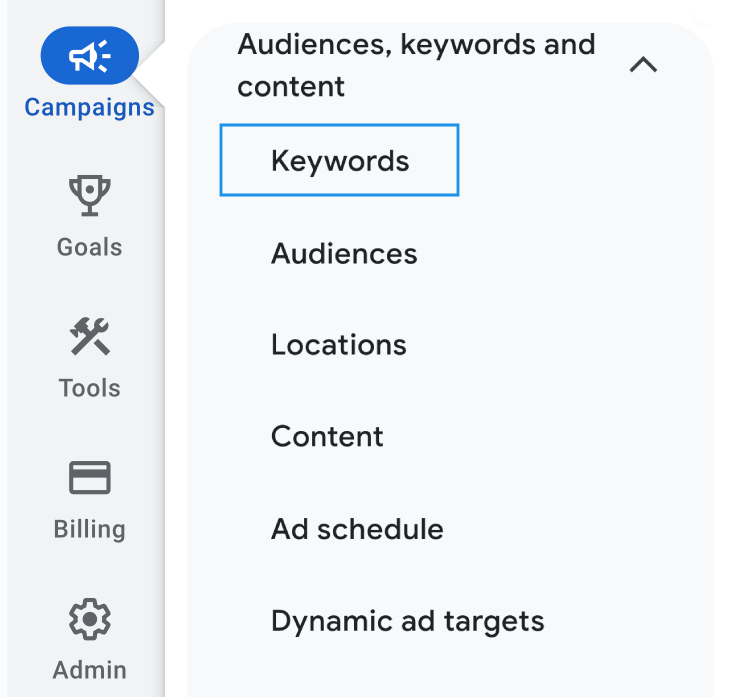
- To do this, click into your Performance Max campaign and then on the left navigation bar, click Campaigns > Audiences, Keywords and Content > Keywords.
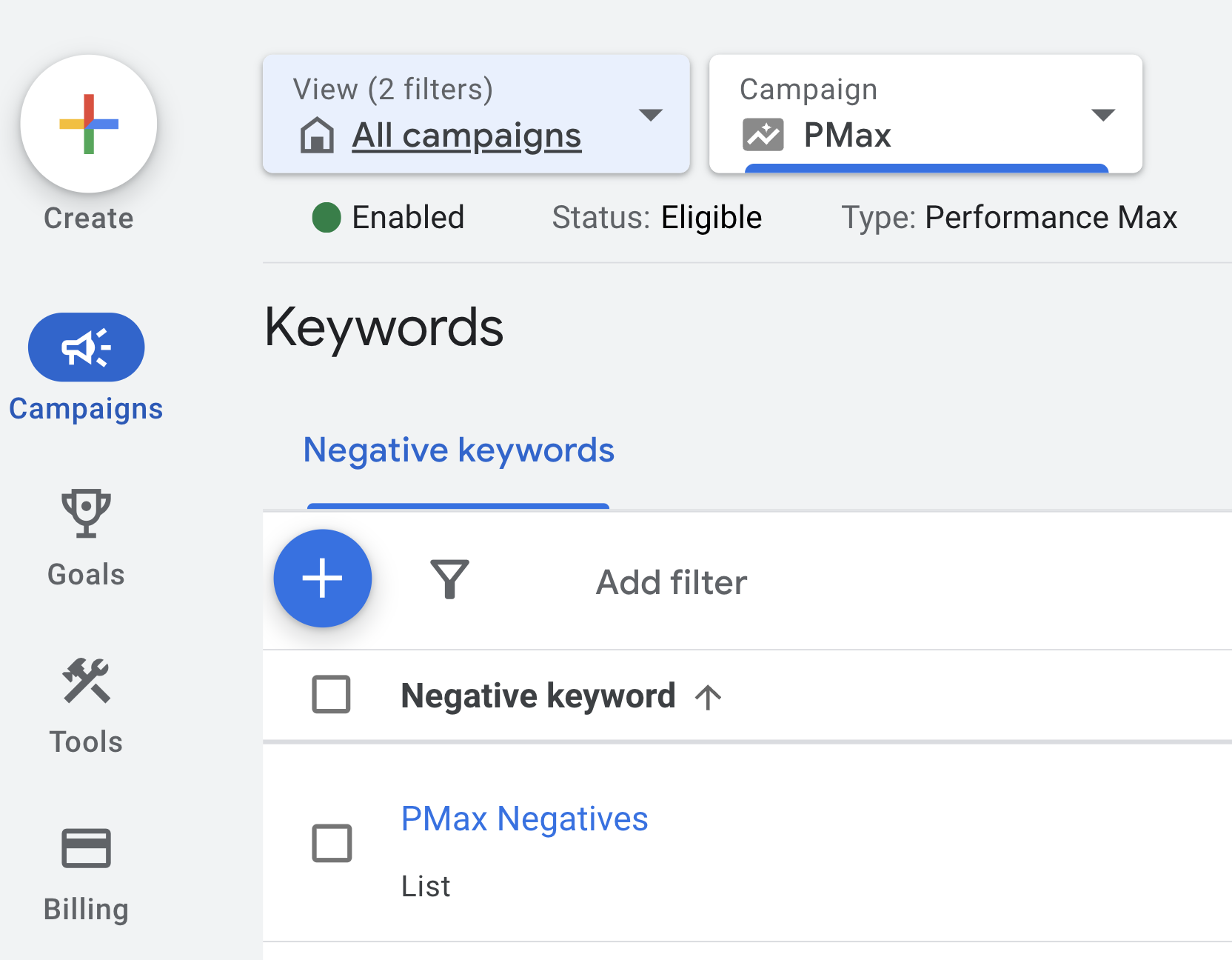
2. This should open up a Negative Keywords section where you can add negative keywords to a new or existing list.
Option 2: Adding at the account level.
While you can add negative keywords at the campaign level, you can also add them at the account level, which will apply them to all of your Search and Shopping campaigns, as well as your Performance Max campaigns.
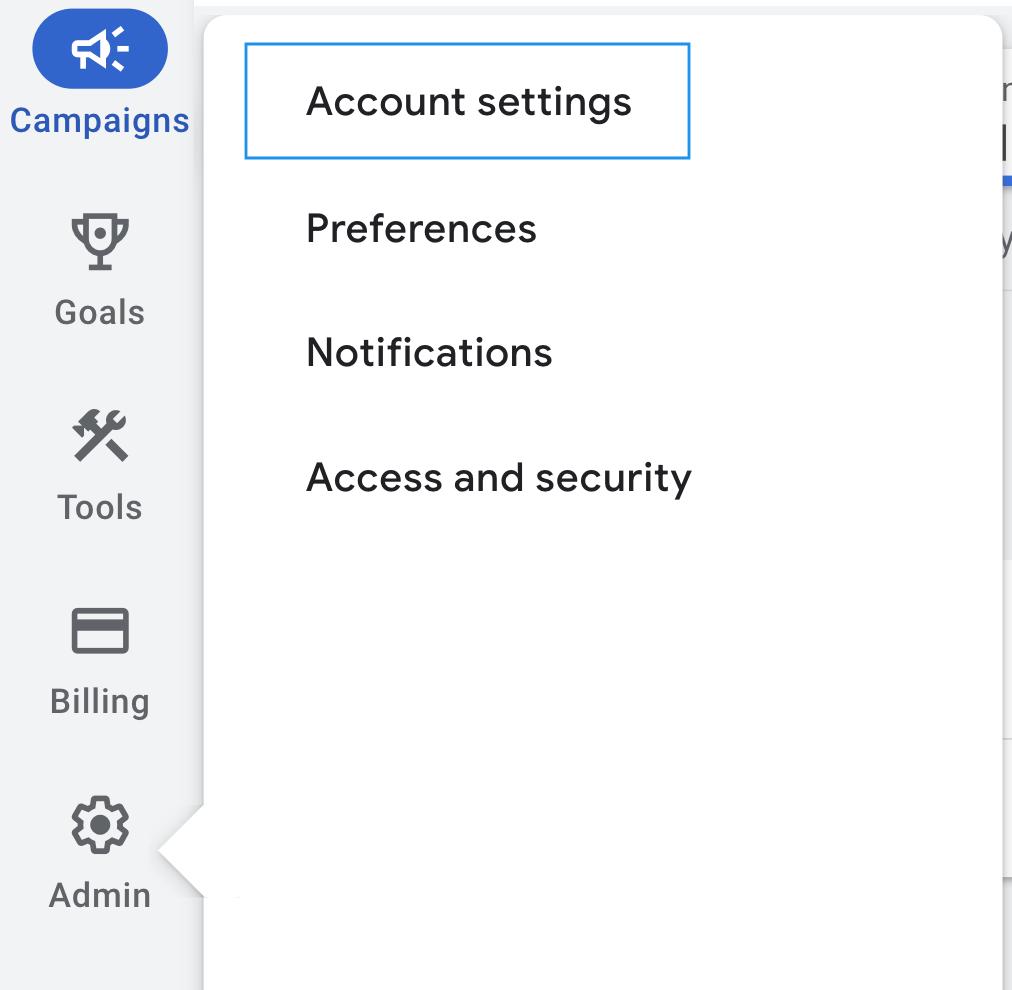
- To do this, you want to sign in to your Google Ads account and navigate to "Account Settings".
2. Then click on the "Negative keywords" option.
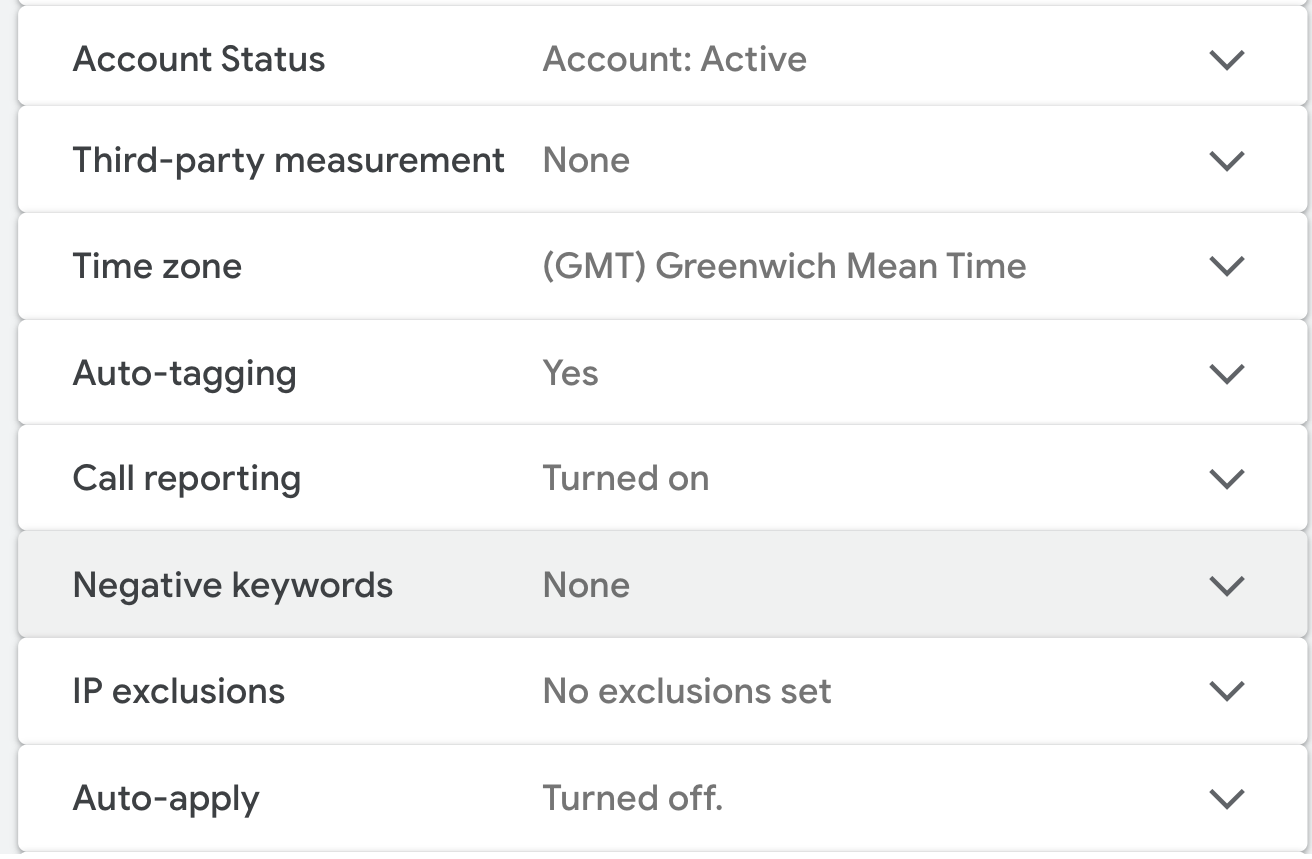
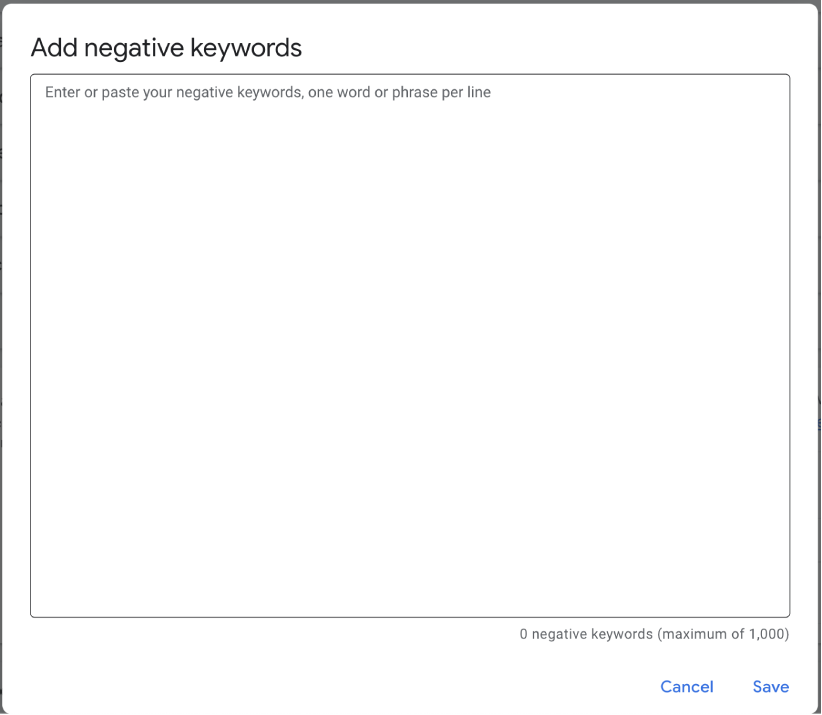
3. Click the "+" button and a box will open, where you can add specific negative keywords. When you're done, click "Save" and that's it! You're done!
Make sure to review these every so often to confirm that all of the terms you’ve added should continue to be excluded.
Summary.
To ensure the success of your advertising efforts in your Performance Max campaign, it's crucial to add negative keywords. In this article, we've covered what negative keywords are, why they're important to use, and how to add them to your Performance Max campaign via two different methods.
By following this guide, you'll be able to make the most out of your Performance Max campaigns and improve their overall effectiveness. Feel free to get in touch, if you'd like to chat to our team or request a free proposal!